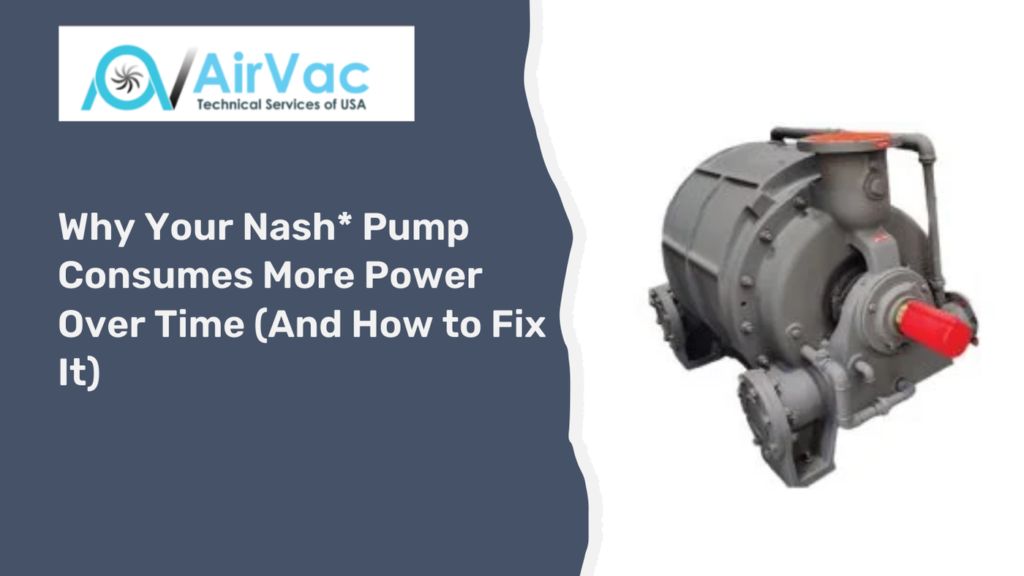
A Nash vacuum pump is one of the most dependable pieces of equipment in any industrial facility. Whether it runs in a paper mill, a chemical plant, a food processing line, or a power generation station, it is built to last. But plant engineers and maintenance teams across the US report the same problem again and again: the pump gradually draws more electricity than it did when new. Nash vacuum pump power consumption creeps up month by month until energy bills are noticeably higher, the motor runs hotter, and process performance starts to slip. This guide explains exactly why Nash pump efficiency declines, how to spot the warning signs early, and what specific steps you can take to fix the problem and bring energy consumption back to where it should be.
How a Nash* Liquid Ring Vacuum Pump Works
Before fixing a power problem, it helps to understand what is happening inside the pump. A Nash pump is a liquid ring vacuum pump. It uses a rotating impeller inside a casing that is partly filled with service liquid, almost always water.
As the impeller spins, centrifugal force pushes the water outward. This forms a rotating ring of liquid against the inside of the casing. The space between the impeller hub and this liquid ring acts like a series of compression chambers. Gas enters through the inlet port, gets trapped in these chambers, gets compressed, and exits through the discharge port.
The water does two important jobs at once. It seals the compression chambers, and it absorbs the heat generated during compression. This dual role means the condition, temperature, and flow rate of the service water directly determine how efficiently the pump operates.
| Key principle: Any change in the condition of the impeller, the service water, the internal clearances, or the mechanical drivetrain forces the pump to work harder. Working harder means drawing more current and consuming more power. |
9 Reasons Why Nash* Pump Power Consumption Increases Over Time
1. Worn or Eroded Impeller Blades
The impeller is the single most important component in a Nash pump. Over years of operation, the impeller blades wear down. The main causes are cavitation erosion, corrosion from process gases or poor-quality service water, and physical damage from solid particles entering the pump.
A worn impeller cannot move gas through the pump as efficiently as it did when it was new. The pump has to compensate by running longer and working harder. According to the Hydraulic Institute, deterioration of rotating components can reduce pump efficiency by 10 to 25 percent, depending on the degree of wear. Every percentage point of efficiency lost shows up on your electricity meter.
If you are seeing both higher power draw and lower vacuum performance simultaneously, impeller wear is one of the first things to check. Airvac’s Nash pump spare parts inventory includes replacement impellers for all major Nash pump series.
2. Service Water Temperature Above Recommended Range
The temperature of the seal liquid has a direct and measurable effect on Nash pump efficiency. When service water is too warm, it cannot form a stable, dense liquid ring. A weakened ring loses its sealing ability, allowing gas to slip back through the compression chambers instead of being properly discharged.
To compensate for this slip, the pump runs harder and draws more power. Most Nash pumps operate best when service water temperature stays between 59°F and 77°F (15°C to 25°C). When plants recirculate water without adequate cooling, especially in summer months, temperatures can climb well beyond this range.
Gardner Denver, the original manufacturer of Nash pumps, recommends maintaining service liquid temperature at or below 77°F (25°C) for rated efficiency. Operating consistently above this range is a documented cause of increase in vacuum pump energy consumption that many plants overlook entirely.
3. Incorrect Service Water Flow Rate
Both too little and too much service water cause problems. Too little water and the liquid ring becomes thin and unstable, reducing sealing efficiency. Too much water and the pump wastes energy moving excess liquid through the system.
In either case, the motor draws more current than it should. The flow rate is set during commissioning, but over time, strainers clog, control valves drift, and flow rates shift without triggering any alarms. A simple flow measurement at the service water inlet can reveal whether this is the cause of your power issue.
4. Air Leaks in the Vacuum System
Air leaks are one of the most common and most overlooked causes of higher Nash vacuum pump power consumption. When air enters the vacuum system through worn shaft seals, loose flange connections, cracked piping, or faulty isolation valves, the pump must operate continuously to compensate for the loss of vacuum.
The US Department of Energy estimates that leaks in vacuum and compressed air systems account for 20 to 30 percent of wasted energy in many industrial facilities. A single small leak in a shaft seal can add hundreds of dollars per year to your electricity bill while slowly worsening.
Signs of a leak include fluctuating vacuum levels without any process change, the pump running almost continuously without reaching the target vacuum, and higher-than-normal motor current readings.
5. Pump Operating at the Wrong Duty Point
Every Nash pump model is designed to operate within a specific range of vacuum levels and flow rates. When a process demands a deeper vacuum than the pump was originally sized for, the pump strains to reach that level. This strain registers as higher power consumption.
The reverse is also true. If process requirements have decreased since the pump was installed, the pump may be oversized. An oversized pump cycling under partial-load conditions operates at poor efficiency and draws disproportionate power for the work being done.
If your process has changed since the pump was installed, it is worth reviewing whether the current pump is still the right fit for the job. Airvac’s team can help assess whether a rebuilt Nash pump or a properly sized replacement would better meet your current operating requirements.
6. Bearing Wear and Increased Mechanical Friction
As bearings age and wear, they generate more friction. This friction directly adds to the motor’s mechanical load. A motor working against increased resistance draws more current, even if nothing else in the system has changed.
Worn bearings also run hotter. If you notice the bearing housing temperature rising over time or the motor case running warmer than usual, bearing wear is very likely contributing to your power increase. Left unaddressed, bearing wear leads to bearing failure and the much higher cost of an unplanned shutdown.
7. Shaft Misalignment Between Pump and Motor
Misalignment is a silent efficiency killer. When the pump shaft and motor shaft are not properly aligned, the motor must overcome the resulting mechanical stress with every revolution. Even misalignment that is too small to cause obvious vibration can increase power consumption by 5 to 15 percent.
According to research by the Electrical Apparatus Service Association (EASA), misalignment is one of the leading causes of premature bearing failure and elevated motor current in industrial pump systems. Alignment should be verified with a laser alignment tool, not by eye or feel.
Misalignment is especially common after maintenance work in which the motor or pump was moved and then reinstalled without a formal alignment check.
8. Scale and Mineral Deposit Buildup
If your plant uses hard water or recirculated process water as the service liquid, calcium and other mineral deposits build up on the inside surfaces of the pump over time. This scale narrows the internal flow passages, reduces the clearance between the impeller and the casing, and disrupts the liquid ring’s shape.
The pump has to work harder to move the same volume of gas through tighter, rougher internal passages. Power consumption rises gradually, often so slowly that no single reading stands out as unusual until a significant buildup has occurred.
Regular inspection and descaling of internal surfaces is essential in any plant using hard water. Plants that have never descaled a pump that has been running for five or more years on hard water almost always find significant buildup on internal inspection.
9. Blocked or Restricted Inlet and Discharge Lines
Scale buildup, debris accumulation, or incorrectly sized replacement piping can create flow restrictions in the inlet or discharge lines. Any restriction makes the pump work against extra resistance on every cycle. That resistance adds directly to the power demand.
This cause is often discovered only during a thorough visual inspection of the connected piping. Pay particular attention to the inlet separator, any inline strainers, and the discharge separator, as these are the most common points where blockages develop unnoticed.
Diagnostic Table: Symptoms, Causes, and Urgency
Use this table to match what you are seeing in the field with the most likely cause of your Nash pump efficiency loss.
| Symptom Observed | Most Likely Cause | Urgency Level |
| Motor amps rising steadily over the months | Impeller wear, bearing wear, or scale buildup | High |
| Pump not reaching the required vacuum level | Low water flow, high water temp, worn impeller | High |
| Motor or bearing housing is running hot | Bearing wear, misalignment, and overloading | Critical |
| Increased noise or vibration during operation | Cavitation, bearing wear, or misalignment | High |
| Vacuum level is fluctuating without a process change | Air leaks at seals, flanges, or valves | High |
| Service water discharge is warmer than normal | Cooling system issue or recirculation problem | Medium |
| Visible scale on internal pump surfaces | Hard water mineral deposits over time | Medium |
| Pump runs continuously without reaching the setpoint | Air leaks, severely worn impeller | Critical |
| Higher power draw after maintenance work | Shaft misalignment during reassembly | High |
Early Warning Signs You Should Not Ignore
Catching efficiency problems early saves money and prevents failures. Watch your Nash pump for these signals:
- Rising motor amperage: Check baseline motor current readings when the pump is running well. Compare readings monthly. A steady upward trend over weeks or months points to a developing efficiency problem.
- Unusual noise: Cavitation produces a sound like gravel or sand moving through the pump. Bearing wear often creates a low grinding or whining tone. Both indicate problems that raise power draw.
- Process performance dropping: If the vacuum level needed to support your process is harder to reach or hold, the pump is struggling. It will draw more power as it tries to compensate.
- Frequent motor overload trips: Trips mean the motor is consistently pulling current above its nameplate rating. This is a serious and urgent sign.
- Service water discharge temperature rising: Warmer-than-normal discharge water means the pump is generating excess heat internally, a sign of reduced efficiency.
- Pump running almost nonstop: If the pump used to cycle on and off and is now running continuously, something is forcing it to work harder than before.
How to Fix Increased Power Consumption in Your Nash* Pump
Work through these steps in order. Start with the easiest checks before moving to the more involved inspections.
Step 1: Check Service Water Temperature and Flow
Measure the service water inlet temperature and flow rate. Compare against the manufacturer’s specification sheet for your pump model. If the temperature is above 77°F, trace the problem to the heat exchanger or cooling tower. If the flow rate is off target, inspect and clean the inlet strainer and check the control valve setting.
Step 2: Test for Air Leaks
Shut the pump down and pressure-test the vacuum system with an inert gas. Alternatively, use an ultrasonic leak detector or a soap solution during operation to check all flanges, gaskets, valve stems, and especially the shaft seal areas. Replace any worn shaft seals immediately and tighten all loose connections.
Step 3: Verify Shaft Alignment
Use a laser alignment tool or dial indicators to check the alignment between the pump shaft and the motor shaft. Follow the tolerance specifications in your Nash pump installation manual. Re-align if necessary. Proper alignment can recover 5 to 15 percent of lost efficiency on its own and significantly extends bearing life.
Step 4: Inspect Internal Components
During a planned maintenance window, open the pump and carry out a thorough internal inspection. Look for:
- Blade erosion or pitting on the impeller
- Scale or mineral deposits on the casing, port plates, and cone
- Scoring or deep wear marks on the casing bore
- Worn or leaking shaft seals and mechanical seals
- Bearing condition and lubrication quality
Replace worn parts with manufacturer-specified components. Using non-standard parts can create clearance problems that worsen efficiency. Airvac stocks Nash pump spare parts for all major series, including CL, SC, 904, XL, and MHF models.
Step 5: Descale and Clean Internal Surfaces
If scale is present, clean all internal surfaces with an appropriate descaling solution compatible with the pump’s materials of construction. Always follow chemical safety guidelines. After descaling, flush thoroughly with clean water, then return the pump to service.
Step 6: Verify the Operating Point
After completing all mechanical corrections, test the pump against its original performance curve. Compare actual vacuum level, gas flow, and motor power draw against the design duty point. If the pump is operating well away from its design point because process requirements have changed, consider whether a rebuild or a replacement Nash pump would be a better long-term solution.
Preventive Maintenance Schedule to Keep Power Consumption Low
A consistent maintenance program is the best long-term defense against Nash pump efficiency loss. Use this schedule as a starting point.
| Task | Frequency | Why It Matters |
| Check the service water temperature and flow rate | Weekly | Ensures stable liquid ring and rated efficiency |
| Inspect and clean the service water inlet strainer | Monthly | Prevents flow restrictions that increase power draw |
| Record and compare motor amperage readings | Monthly | Early detection of developing efficiency loss |
| Inspect shaft seals for wear or leakage | Every 3 months | Prevents air ingress that forces the pump to work harder |
| Check pump-to-motor shaft alignment | Every 6 months | Reduces mechanical friction and bearing wear |
| Inspect and re-lubricate bearings | Every 6 months | Prevents friction-related current increases |
| Full internal inspection and descaling | Annually | Removes scale, checks impeller and casing condition |
| Performance test against original curves | Annually | Confirms the pump is still operating at rated efficiency |
The Real Cost of Running an Inefficient Nash* Pump
Many plant teams underestimate how quickly a drop in pump efficiency adds up to real money. Consider a mid-sized Nash pump with a 30-horsepower motor running 8,000 hours per year at a commercial electricity rate of $0.12 per kWh:
| Pump Efficiency | Motor Power Draw (kW) | Annual kWh Used | Annual Energy Cost (USD) | Extra Annual Cost vs New |
| 100% (new or freshly rebuilt) | 22.4 | 179,200 | $21,504 | $0 |
| 90% efficiency (10% loss) | 24.9 | 199,200 | $23,904 | $2,400 |
| 80% efficiency (20% loss) | 28.0 | 224,000 | $26,880 | $5,376 |
| 70% efficiency (30% loss) | 32.0 | 256,000 | $30,720 | $9,216 |
A 20 percent efficiency loss on a single pump costs over $5,000 per year in wasted electricity. For a plant with five or ten Nash pumps, the combined waste reaches tens of thousands of dollars annually. Catching and correcting efficiency problems early is almost always far cheaper than running the pump in its degraded state.
| According to the US Department of Energy, energy costs represent over 95 percent of the total lifecycle cost of an industrial pump operating in continuous-duty service. The pump’s purchase price is a small fraction of the cost of running it over its lifetime. |
Additional Energy Saving Tips for Nash* Pump Systems
Beyond fixing existing problems, these measures can further reduce energy consumption in your Nash pump system:
- Install a variable frequency drive (VFD): A VFD lets the motor speed vary with actual process demand. The US Department of Energy reports that VFDs on pumps with variable load can cut power consumption by 30 to 50 percent. For Nash pumps in applications where the vacuum demand varies through the shift, a VFD can pay for itself in energy savings within one to three years.
- Optimize service water temperature proactively: Installing a heat exchanger or upgrading your cooling tower to maintain service water at the ideal temperature range pays back through better efficiency and fewer wear-related failures.
- Consider a once-through water system where water cost allows: Using fresh water rather than recirculated water keeps the service liquid cooler and eliminates scale buildup from hard water. In facilities where water cost is low, this can be a cost-effective choice.
- Right-size the pump for current process needs: An oversized pump running at partial load wastes energy on every cycle. If your process has changed, a right-sized pump may use significantly less power to achieve the same vacuum.
- Monitor performance continuously with sensors: Installing sensors to log motor current, vacuum level, and service water temperature in real time gives early warning of developing problems. Catching a 5 percent efficiency drop early costs far less than dealing with a 30 percent drop after two years of slow deterioration.
When to Call a Nash* Pump Specialist
Some power consumption problems are straightforward to fix in-house. Others require specialist knowledge and equipment. Contact a qualified Nash pump service team when:
- Motor current is above the nameplate rating after basic checks have been completed
- The pump fails to reach the required vacuum level after water conditions are corrected
- Internal inspection reveals major impeller erosion or casing damage
- Cavitation symptoms do not resolve after adjusting operating conditions
- You need a formal performance test comparing current output against original factory data
- You are evaluating whether to rebuild, replace, or upgrade the pump and need engineering input
Frequently Asked Questions
Why is my Nash* vacuum pump drawing more amps than the nameplate rating?
This almost always means the pump is working harder than it was designed to. The most common causes are air leaks in the vacuum system, worn impeller blades, high service water temperature, shaft misalignment, or worn bearings. Start by measuring service water conditions and checking motor alignment. If those are correct, the next step is an internal inspection.
How can I tell if my Nash* pump is losing efficiency?
The clearest sign is rising motor amperage over time when the vacuum level and process conditions have not changed. Other signs include the pump running more continuously than before, struggling to reach the required vacuum level, unusual noise during operation, and higher-than-normal service water discharge temperatures.
Does service water temperature really affect Nash* pump power consumption that much?
Yes, significantly. Service water that is too warm weakens the liquid ring, reduces compression efficiency, and forces the pump to work harder. Operating 15 to 20 degrees above the recommended service water temperature can reduce Nash pump efficiency by 10 to 20 percent, which translates directly into higher power consumption on every operating hour.
How often should I check my Nash* pump for efficiency problems?
Record motor amperage readings at least once a month and compare them against your baseline. This takes about five minutes and is the single most effective early warning tool available. A full performance check, including vacuum level, flow, and power draw, should be carried out at least once a year. For pumps in critical 24-hour processes, quarterly performance checks are a sound investment.
Is it worth rebuilding a Nash* pump that is consuming too much power, or should I replace it?
In most cases, rebuilding is the more cost-effective choice if the pump casing is still in good condition and the pump is less than 12 to 15 years old. A professional rebuild restores internal components to their original specifications, restoring efficiency. Airvac’s Nash pump rebuild and swap-out program is designed to get your pump back to rated performance quickly and at a fraction of the cost of a new pump.
Can a VFD really reduce the energy consumption of a Nash* pump?
Yes, in the right applications. A variable frequency drive is most effective when vacuum demand varies throughout the production cycle. When demand is low, the VFD slows the motor, which dramatically cuts energy consumption because power varies with the cube of speed. In applications where the pump runs continuously at full demand, a VFD provides less benefit but can still extend equipment life by reducing mechanical stress during start-up.
What is the normal power draw for a Nash* liquid ring vacuum pump?
Normal power draw depends entirely on the pump model, the vacuum level being maintained, the service water conditions, and the gas load being handled. The best reference is the power draw recorded at the time the pump was first commissioned or last professionally serviced. That baseline figure is your benchmark. Any consistent deviation of more than 5 percent above that baseline warrants investigation.
How long does a Nash* pump impeller last before it needs to be replaced?
Under good operating conditions with clean service water and no cavitation, a Nash pump impeller can last 10 to 15 years or more. In harsher environments with corrosive gases, poor-quality service water, or frequent cavitation, the impeller may need attention every 3 to 7 years. Regular inspections are the only reliable way to know the actual condition of the impeller in your specific application.
Conclusion
A Nash vacuum pump that is consuming more power than it should is not a pump you should ignore or accept as normal. The problem builds slowly, often over months or years, which makes it easy to dismiss each small increase as noise. But the cumulative effect on your energy costs is very real, and the mechanical damage accumulating inside the pump is getting worse with every operating hour.
The good news is that most cases of Nash pump efficiency loss are fixable, and often without replacing the pump. Correcting service water conditions, finding and sealing air leaks, re-aligning the drive, and replacing worn impeller or bearing components are all tasks that restore efficiency and cut power consumption back to where it belongs.
Start with the basics. Measure your motor current, check your service water temperature and flow, and look for visible leaks. Work through the diagnostic steps in this guide. Put a maintenance schedule in place and stick to it. The combination of proactive monitoring and scheduled maintenance is what keeps Nash pumps running at rated efficiency for 20 years and beyond.
If you need hands-on help diagnosing or correcting a Nash pump power issue, Airvac Technical Services is a US-based specialist with over 23 years of exclusive focus on Nash vacuum pumps and liquid ring vacuum systems. Airvac offers professional pump assessments, full rebuild and remanufacturing services, a fast-turnaround swap-out program, and a complete inventory of Nash pump spare parts for all major series. Whether you need to restore an aging pump to rated efficiency or evaluate whether a replacement Nash pump is the smarter long-term choice, Airvac’s engineering team is ready to help you make the right call and get your process running at full efficiency again.